
Would you like to track stocks on your TV?
The STKFocus TV App brings your watchlists and market updates to the biggest screen in the room.
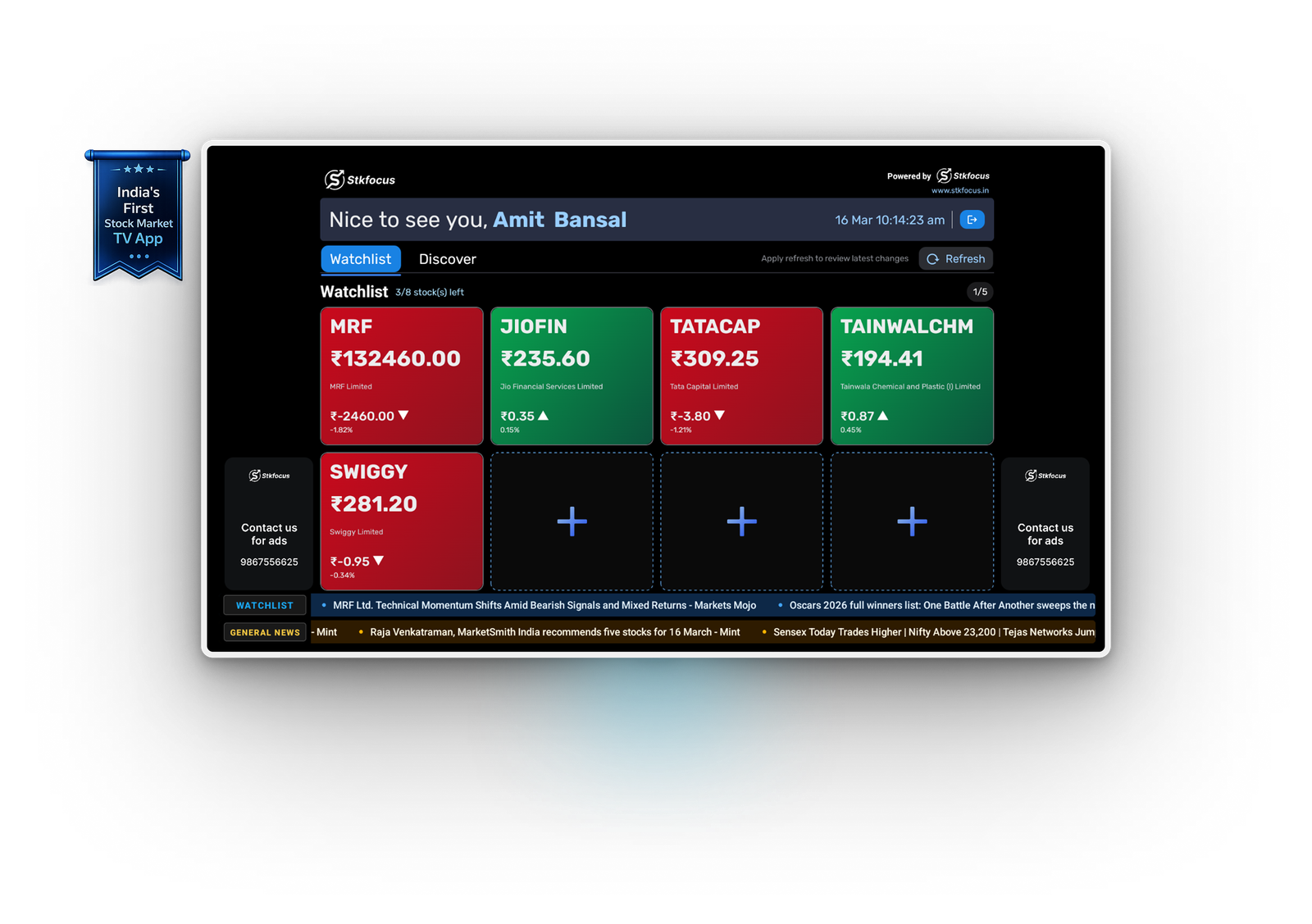

What Can You Do with the
World’s First Stock Tracking TV App?
Monitor the market effortlessly with powerful features designed for real-time, continuous tracking
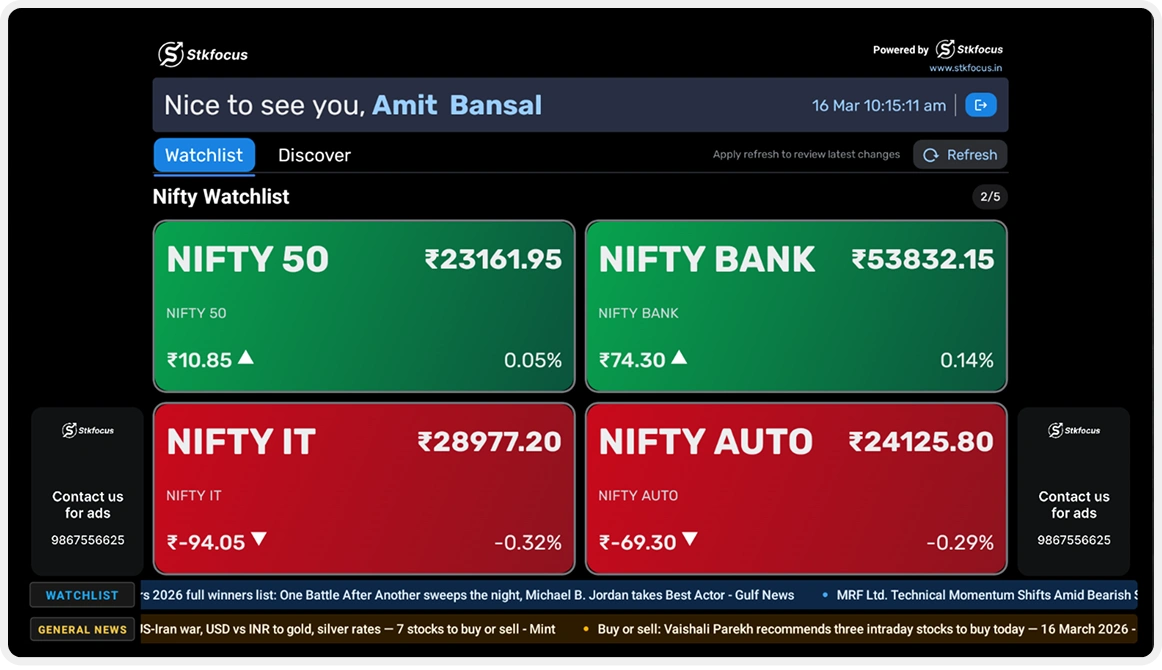

AI Analyzed Stocks View
Track up to 8 stocks at a glance powered by AI analysis, news filtering, and competitor analysis.

Configure watchlist from any electronic device
Update and manage stock, Nifty, IPO, 52-week high, and 52-week low watchlists from any device.

Optimized AI Display for Large Screens
A clean interface designed for TV displays lets you monitor multiple stocks and market updates clearly.
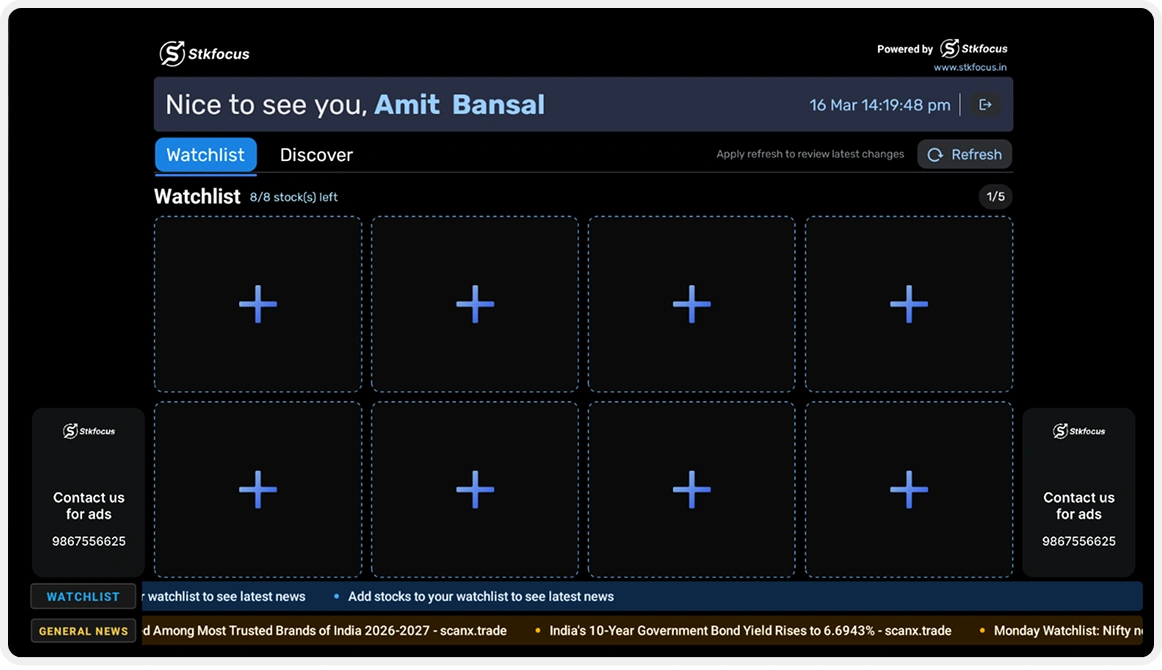

Track Market Movement with AI Signals
Green for gains, red for losses, real-time updates combined with AI-driven insights make trends clear.

Curated Market Content
View admin-curated sessions, updates, and announcements alongside market information on your TV screen.

Ideal for Lobby, Hotels & Homes and more…
Designed to deliver real-time stock data in reception areas, lobbies, offices, hotels, restaurants, trading rooms, reading rooms, personal spaces, and homes.
How to Get Started with the STKFocus TV App

Step 1: Download the App
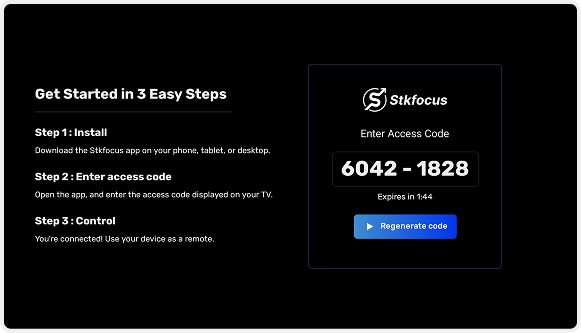
Step 1.1
- Open the Stkfocus TV app on your smart TV.
- An access code will be displayed on the TV screen.
Step 1.2
- Open the Stkfocus app on your desktop/laptop OR mobile/tablet.
- Enter the access code in the device to connect.
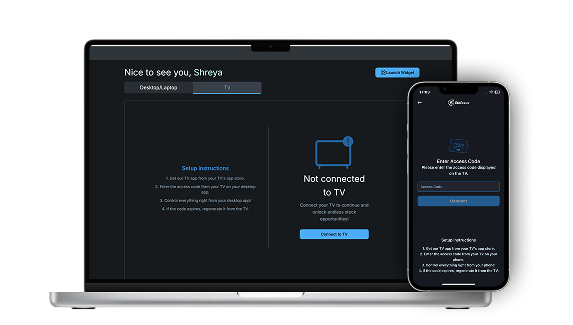
Step 2: Control your experience using mobile/tablets apps OR desktop/laptop apps
Mobile/Tablet App
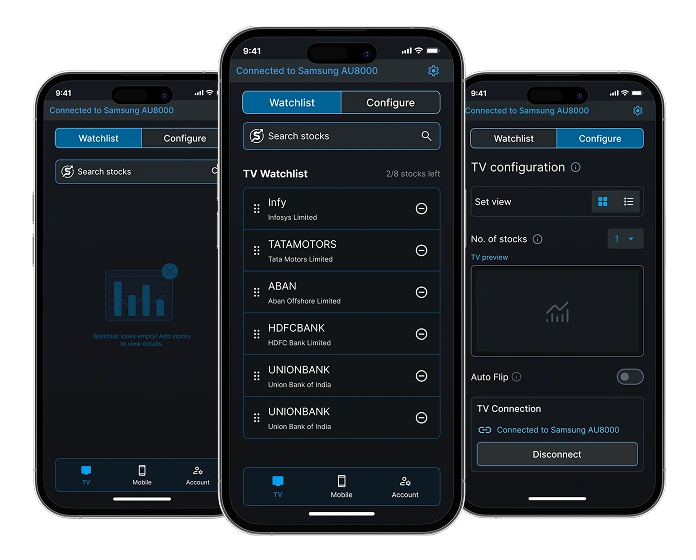
Laptop/
Desktop App
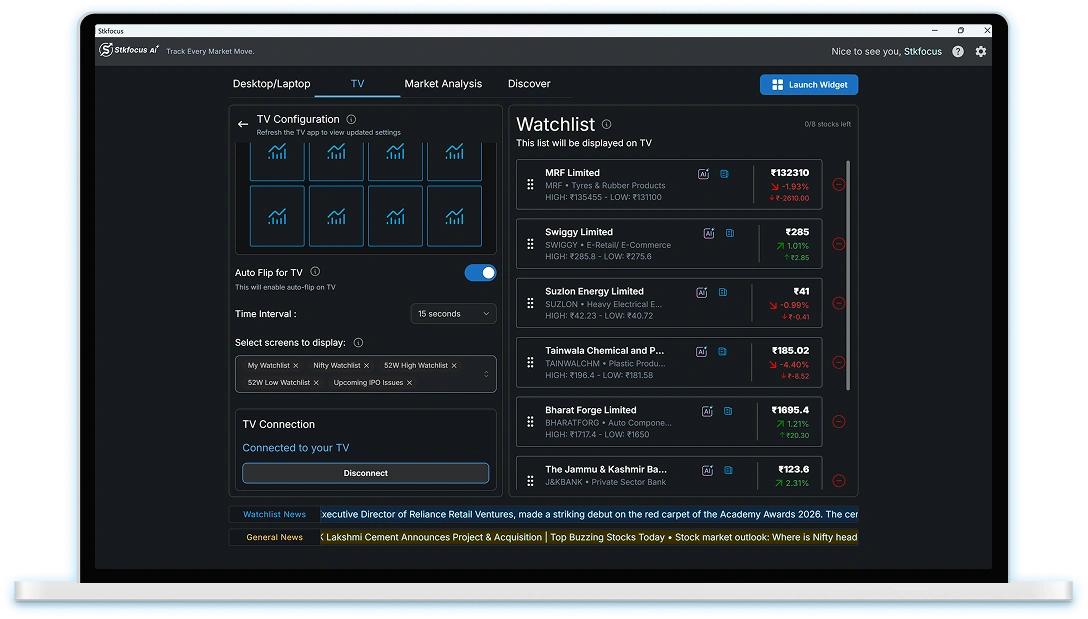
• Easily update and customize your Stkfocus TV settings from your mobile, tablet, laptop, or desktop.
• Sync your watchlist including Nifty, IPO and 52 Week High Low, adjust display options, and hit refresh on your TV to apply changes instantly.
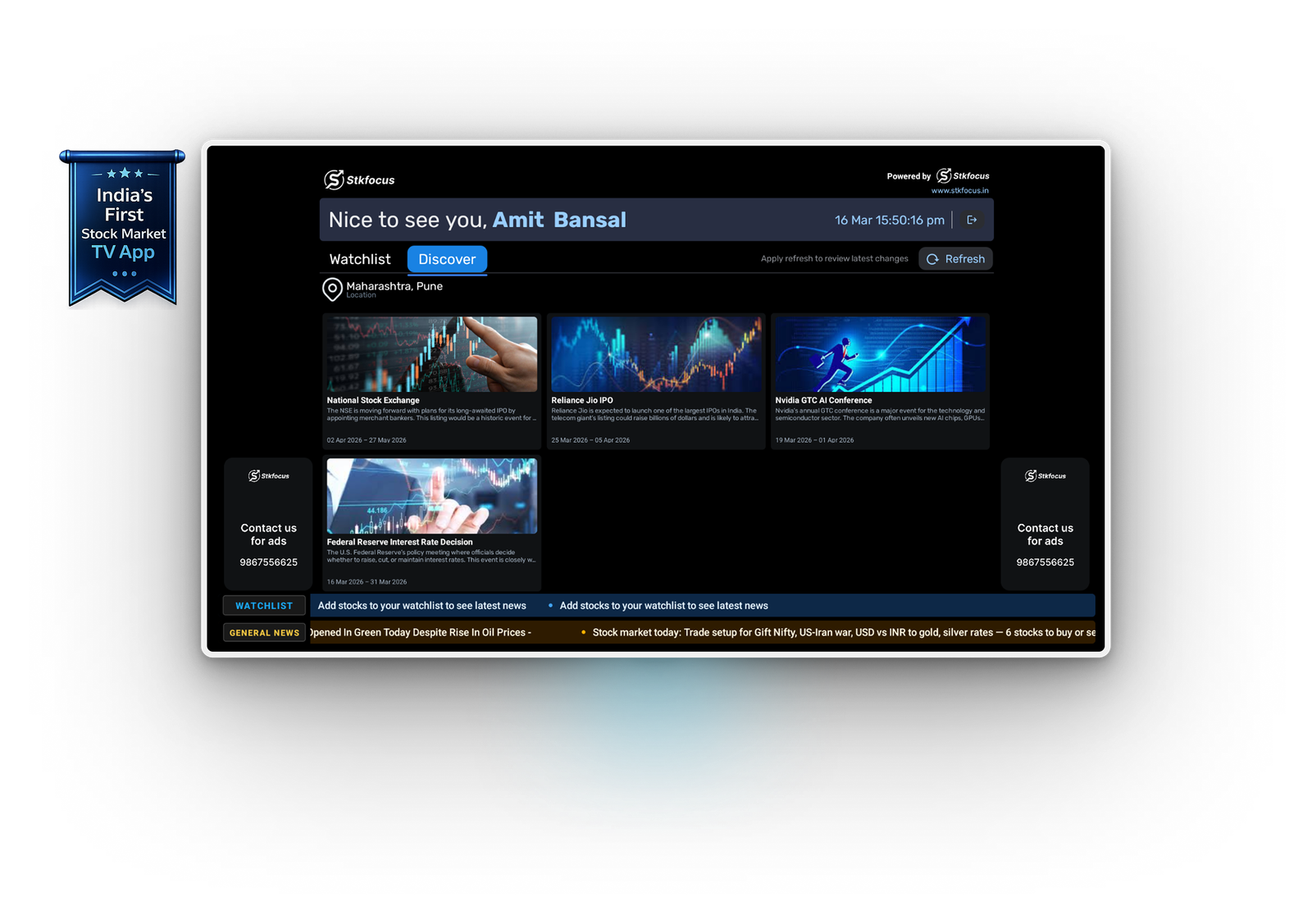
The screen does more than just stocks!
Stay updated with curated events, shows, and experiences happening around you.
Compatible with




Specifications: Android TV 9.0 or later,50MB free storage, and Full HD (1080p) resolution
Stkfocus TV tutorial
Watch this quick tutorial to install the Stkfocus TV app and start tracking your smart watchlists in no time!